HOW TO GET IMEI NUMBER
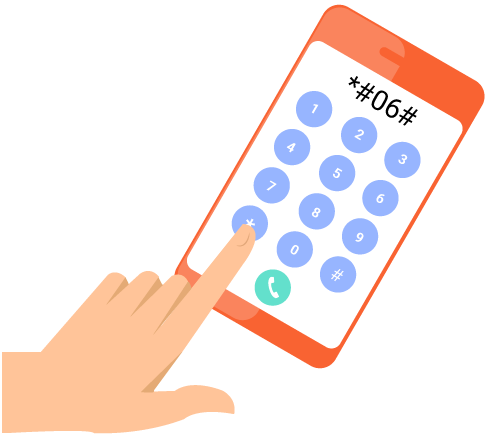
By dialing *#06#
You can retrive the IMEI number on virtually any phone by
dialing in the universal code.
*#06#
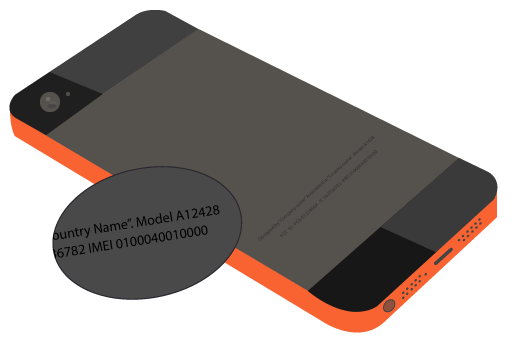
__ Look At The Back Of Your Phone
Mostly Mobile phones have the IMEI number engraved on the back
of the phone, near the bottom.
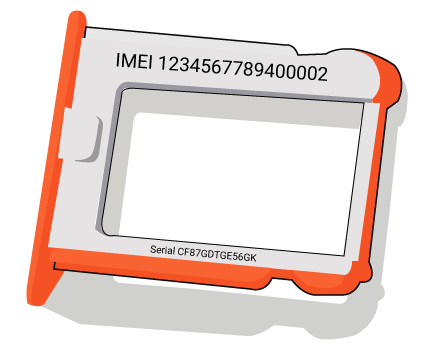
__ Check the SIM Card tray
Remove the SIM Card tray from your specific model. Your IMEI
number is printed on the tray.
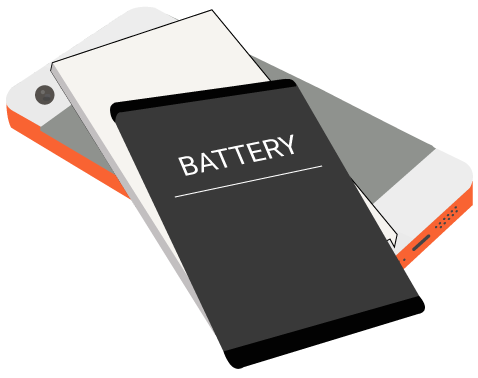
__ Looking under the battery
Remove back from your phone and gently remove the battery from the phone and then find
the IMEI number. The location of this will vary from phone to phone, but the IMEI number is
usually on a sticker that is affixed to the phone underneath the battery.
LAST HOPE TO RETURN A LOST PHONE TO IT'S OWNER
__ Ask digital Assistant
By default, both iOS and Andriod let you access their digital assistants
right from the lock screen(unless the phone owner has disabled the feature).
To pull up the assistant on an iPhone other than the X, press and hold Home
button
(for the iPhone X, press and hold the power button istead).
On Andriod, tap and hold in the bottom left corner of the display(where the
microphone icon appears)and then drag your finger up to the middle of the screen.
Once you've accessed Siri or Goolge Assistant, try saying "Call Mom","Call Home", or another
command that might access one of the phone Owner's contacts.
__ Set a Reminder
Similarly, you can use Siri or Google Assistant to set a reminder that the phone's Owner will be
able to see from another device. On iPhone hold the home button (on iPhone X, hold the power
button) on Andriod tap and hold bottom left and then swipe up. When the assistant appers, say,
"Set a reminder for 2pm everyday to call" and then state your name and number or any other
information you want to add.
If the owner of the phone is signed into their Apple or Google Account on any other devices,
they should have access to their reminders there. In that case, they'll see the note you've left
pop up at 2pm(or whatever time you choose) everyday.